

Highlight only a passage that answers a live question, supports a claim, or deserves a response.
Put it into practice
Start with a few familiar references. Highlight only a passage that answers a live question, supports a claim, or deserves a response. If you still cannot find what you need, change the rule and try again.
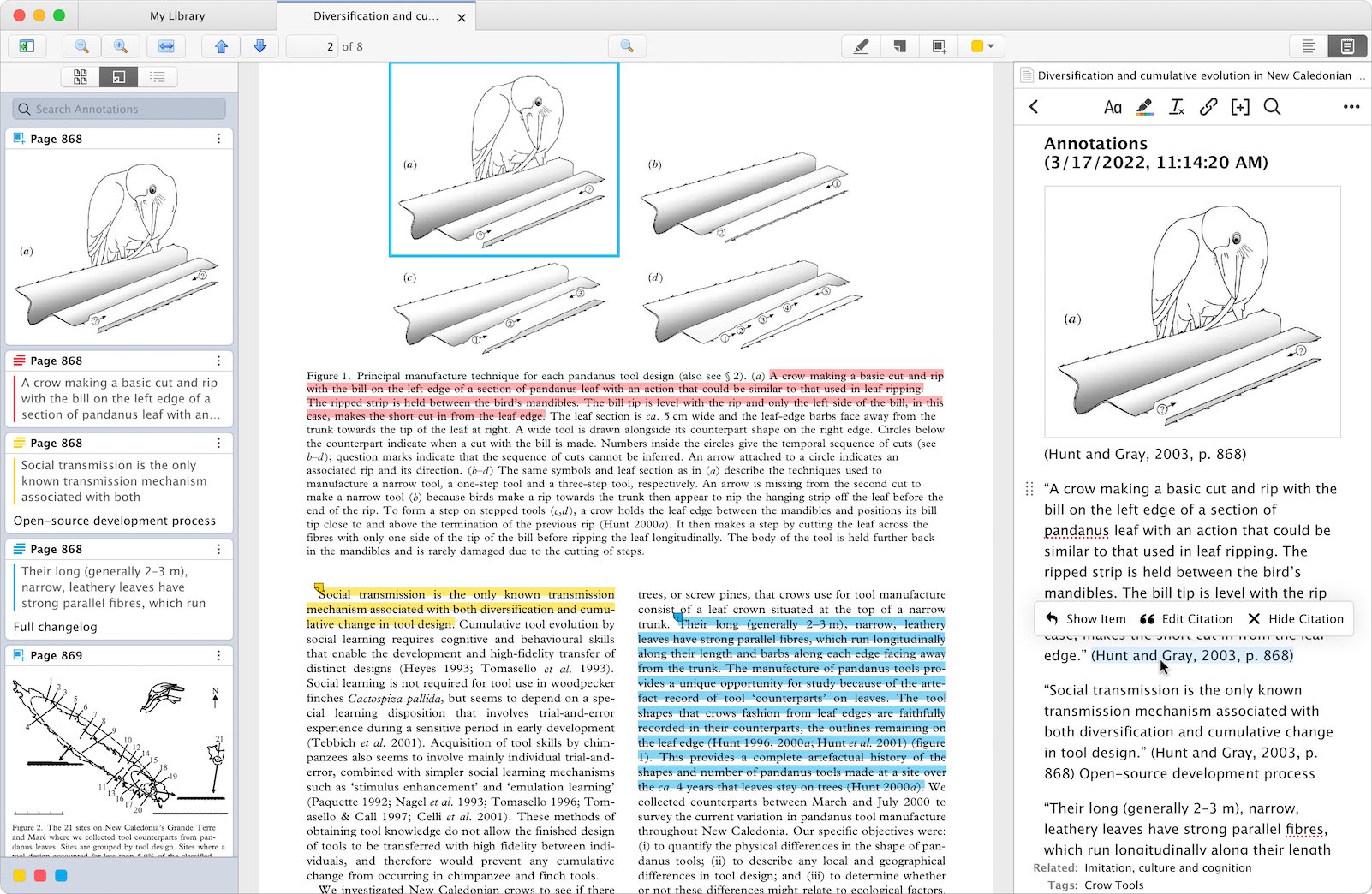
Work through one real item
Step 1
State the question before reading.
Step 2
Mark evidence with its location.
Step 3
Write disagreement in your own words.
Step 4
End with the next action or a deliberate stop.
Try these steps with your own files. Keep the ones that help you find a reference or decide what to do with it.
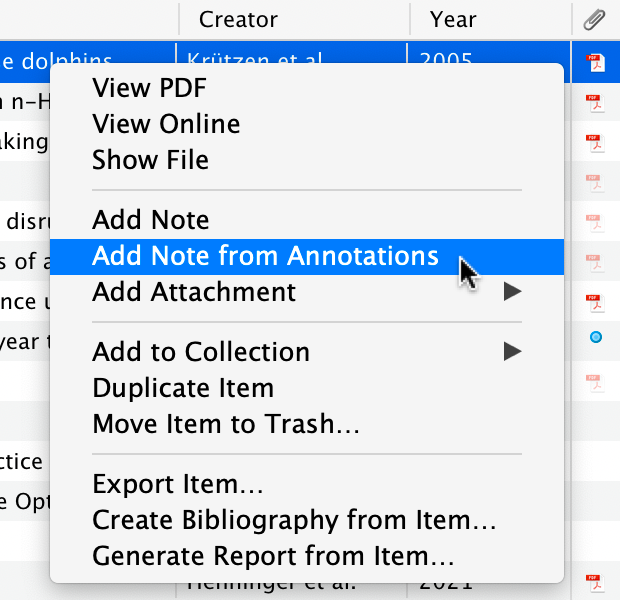
What the source supports
Choose what to do
| Reading state | Keep | Leave behind |
|---|---|---|
| What to try | Highlight only a passage that answers a live question, supports a claim, or deserves a response. | Record whether the item stays, changes, or goes, and why. |
| Scanning | Only likely sections | Question and location |
| Reading closely | Claims and evidence | Quotation and response |
| Done | Decision or next action | Clean handoff note |
Check the result
When to use another approach
Sources reviewed
- Keeping Found Things Found on the WebMicrosoft Research · November 2001 · 2026-08-23
Observed methods people use to keep web information and the value of preserving reminders and context.
- Web Content Accessibility Guidelines (WCAG) 2.2World Wide Web Consortium · December 2024 · 2026-08-23
Descriptive headings, meaningful sequence, language metadata, focus visibility, and accessible relationships.