

Start with a few terms that support real searches, then add a term only after repeated retrieval failures.
Put it into practice
Start with a few familiar references. Start with a few terms that support real searches, then add a term only after repeated retrieval failures. If you still cannot find what you need, change the rule and try again.
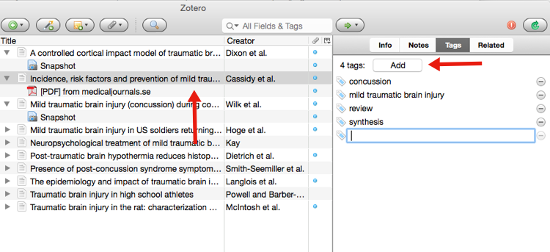
Choose what to do
| Need | Lightest structure | Warning sign |
|---|---|---|
| What to try | Start with a few terms that support real searches, then add a term only after repeated retrieval failures. | Record whether the item stays, changes, or goes, and why. |
| Stable boundary | Collection or folder | You put the item in many folders |
| Cross-cutting trait | Tag | Two tags mean the same thing |
| Temporary state | Status | The state never changes an action |
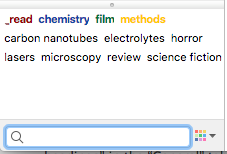
What the source supports
Work through one real item
Step 1
Think about how you will search.
Step 2
Give the folder a clear purpose.
Step 3
Add only terms you can define.
Step 4
Test the structure with known items.
Try these steps with your own files. Keep the ones that help you find a reference or decide what to do with it.
Check the result
When to use another approach
Sources reviewed
- Design and In-Situ Evaluation of a Mixed-Initiative Approach to Information OrganizationMicrosoft Research · January 2017 · 2026-08-23
Automation can reduce organization cost when people retain review and correction authority.
- Searching to Eliminate Personal Information ManagementMicrosoft Research · January 2006 · 2026-08-23
Search can reduce filing work when retrieval uses remembered context and content.